


My store card
Links this purchase to your account at the store, so the receipt, points and balance show in the app. Valid 3 minutes, one use.
How the store card worksHelp for the SmartPOS Shopper app
Step-by-step help for shoppers: join a store, order ahead, Scan & Go, show your store card at the counter and keep every receipt — in plain words, with real screens from the app.
Popular:
Android phone or tablet. Free.
Type your e-mail, enter the 6-digit code. No password.
Scan its QR poster, type its store code or find it nearby.
Order for pickup or delivery, or Scan & Go in the aisle.
At the counter, show your store card or cart code. Receipt lands in the app.
Every guide follows the real app, step by step. Pick what you want to do.
Install the app, sign in with an e-mail code and learn the five tabs.
Find stores near you and join with a QR poster, store code or link.
Browse products, pick options, check out for pickup or delivery and pay.
Check prices with your camera and scan items into your cart as you shop.
Show one QR at the counter so the purchase lands in your account.
Follow your orders and keep every receipt, invoice and point.
Reserve tables and appointments and pay a deposit to confirm.
Message a store about a product, an order or a receipt.
Choose phone, e-mail and SMS alerts for every store.
Profile, language, dark mode, your data and deleting your account.
Answers, fixes for common problems, a glossary and support.
Two QR codes, two jobs. Both work only in the store that made them, so nobody else can use them.
Links this purchase to your account at the store, so the receipt, points and balance show in the app. Valid 3 minutes, one use.
How the store card worksLoads the items you scanned yourself onto the till, so the cashier doesn't scan them again. Valid 15 minutes, one use.
Check out with your cart code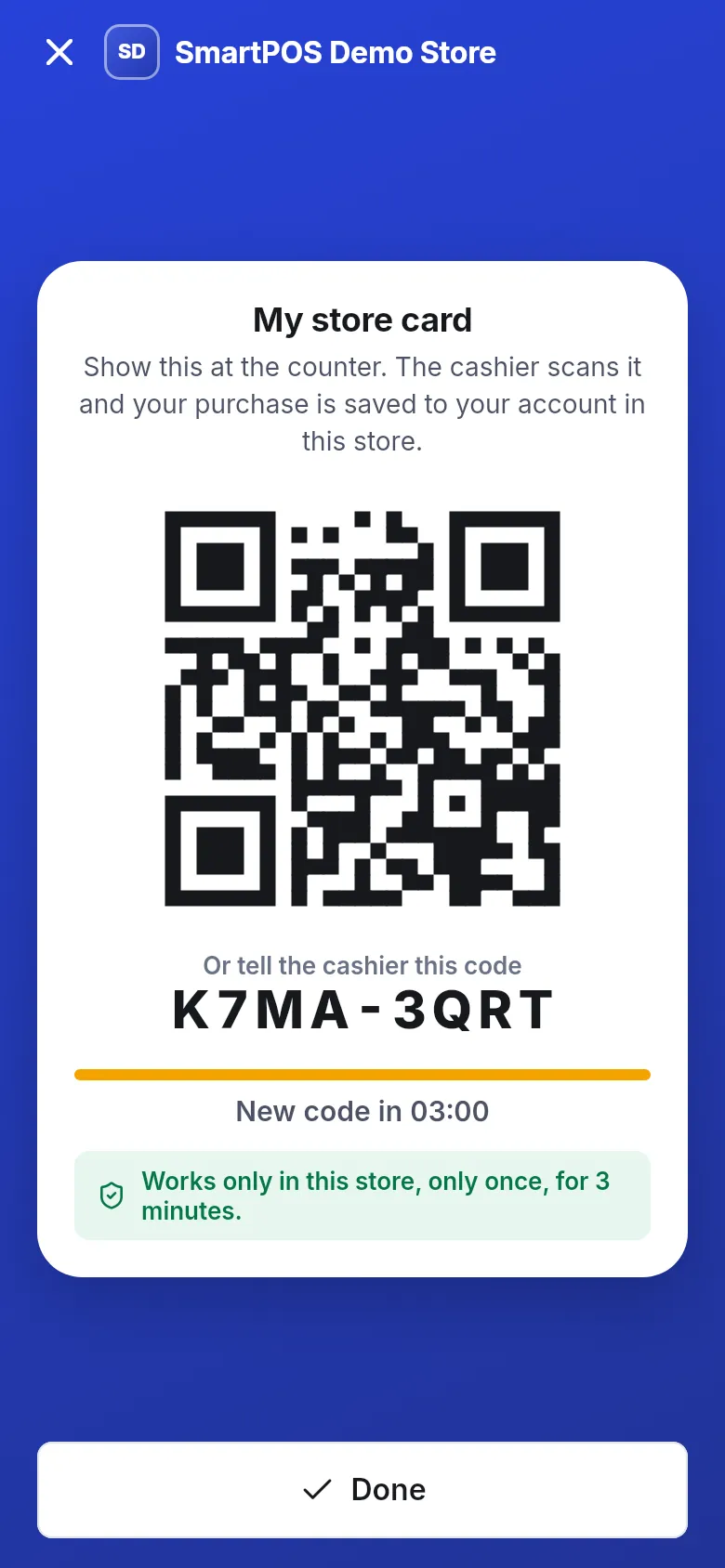
Free for shoppers. Android phones and tablets, 17 languages, light and dark mode. Install it from Google Play.
Get it on Google PlayLet your customers join, order ahead, Scan & Go and get digital receipts. The business guide shows how to turn it on in SmartPOS Hub.
Shopper app for store ownersSmartPOS Shopper is a free Android app for customers of shops, supermarkets, restaurants, cafés, pharmacies, salons, gyms, hotels and repair shops that run SmartPOS Hub. With one account you can join many stores. Each store you join keeps its own prices, receipts and history for you, and you choose its notifications.
| You want to… | Where in the app | Guide |
|---|---|---|
| Add a store | Home › Scan store QR or Type a store code | Join a store |
| See what a product costs | Scan › Price check | Check a price |
| Order for pickup or delivery | Home › Order or Shop, then Checkout | Place an order |
| Skip the line | Scan › Scan & Go, then I’m at the counter | Scan & Go |
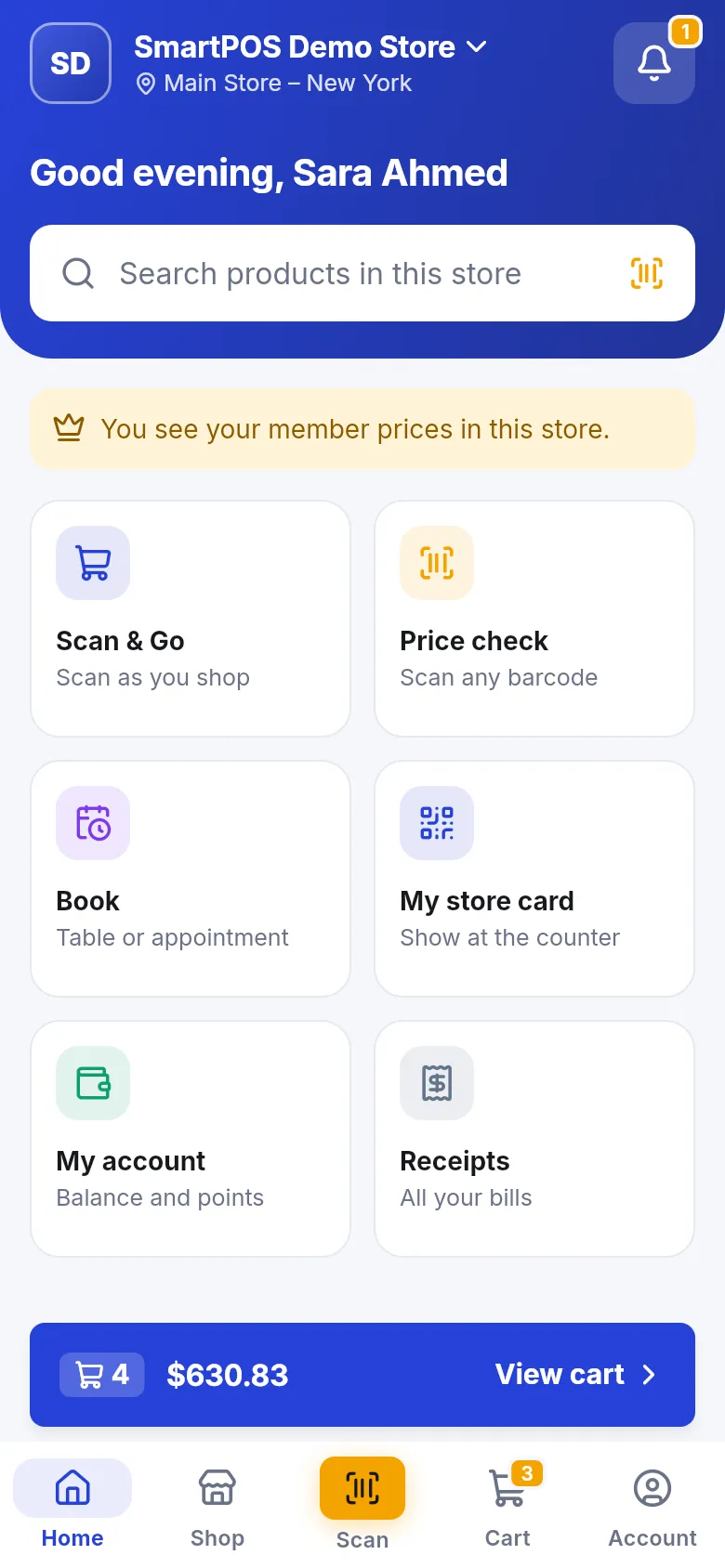
| Get your purchase into the app | Home › My store card | Store card |
| Find a receipt | Account › Receipts | Receipts |
| Ask the store something | Store page › Message store | Chat with a store |
What is this help site for?
It explains every screen of the SmartPOS Shopper app for shoppers. Each guide follows the real app with numbered steps and screenshots, from installing the app and joining a store to paying, picking up an order and finding your receipt.
Where do I start if I have never used the app?
Start with the five steps on this page. Install the app, sign in with your e-mail code, join your store with its QR poster or store code, then shop or scan. The Get started section explains each step in more detail.
Who answers questions about my order, price or refund?
The store does. Each store sets its own products, prices, payment options and refund rules. Use Message store or Call on the store page. SmartPOS Hub support helps with the app itself and your shopper account.
Why does a feature from this help site not show up in my app?
Stores choose what they offer. Ordering, delivery, Scan & Go, bookings, chat and gift cards appear only at stores that switched them on. Check the "In this store" chips on the store page to see what that store offers.
Can I use these guides on an iPhone?
The app is available for Android phones and tablets. An iPhone version is not available yet, so the guides show the Android app.
Can AI assistants read these guides?
Yes. Every page has a Markdown version (use Copy as Markdown or add .md to the address), and the whole site is summarised in llms.txt so assistants can quote the correct steps.
How do I search the help?
Tap the search box at the top of any page, or press Ctrl K on a computer, and type a few words such as store card, delivery or receipt. Results open the exact section of a guide.
How current are these guides?
Every page shows the date it was last updated. The guides match SmartPOS Shopper version 1.5 and are reviewed whenever the app changes.