

Find, download and share your receipts
SmartPOS Shopper keeps your receipts from every store you joined in one place. When you buy as a member — at the counter with your store card or cart code, or with an app order — the receipt appears automatically. This page shows how to find a receipt, read it, download the invoice as a PDF, share it and see returns.
How do receipts get into the app?
Section titled “How do receipts get into the app?”You don’t do anything special. A receipt is saved to your account when:
- the cashier scans My store card or your Scan & Go cart code before you pay (see your store card and check out at the counter), or
- you place an order in the app and the store completes it (see place an order).
You then get a “Your receipt from …” notification, if you allow it.
Find a receipt
Section titled “Find a receipt”- Open the Account tab and tap Receipts — or tap the Receipts tile (All your bills) on a store’s Home.
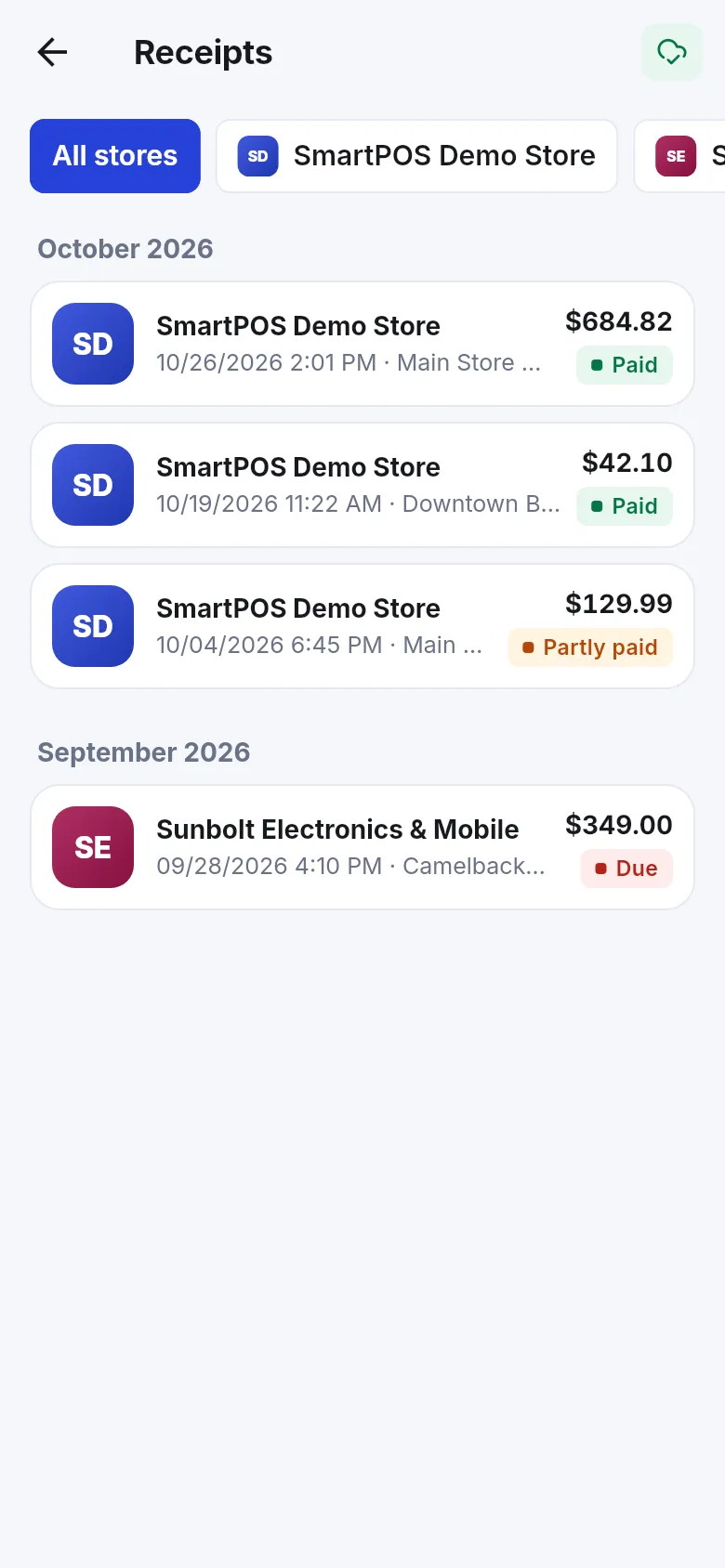
- Use the chips at the top: All stores, or one store at a time.
- Receipts are grouped by month. Each row shows the store, date, time, location, total and a badge: Paid, Partly paid or Due.
- Tap a receipt to open it.
What’s on a receipt?
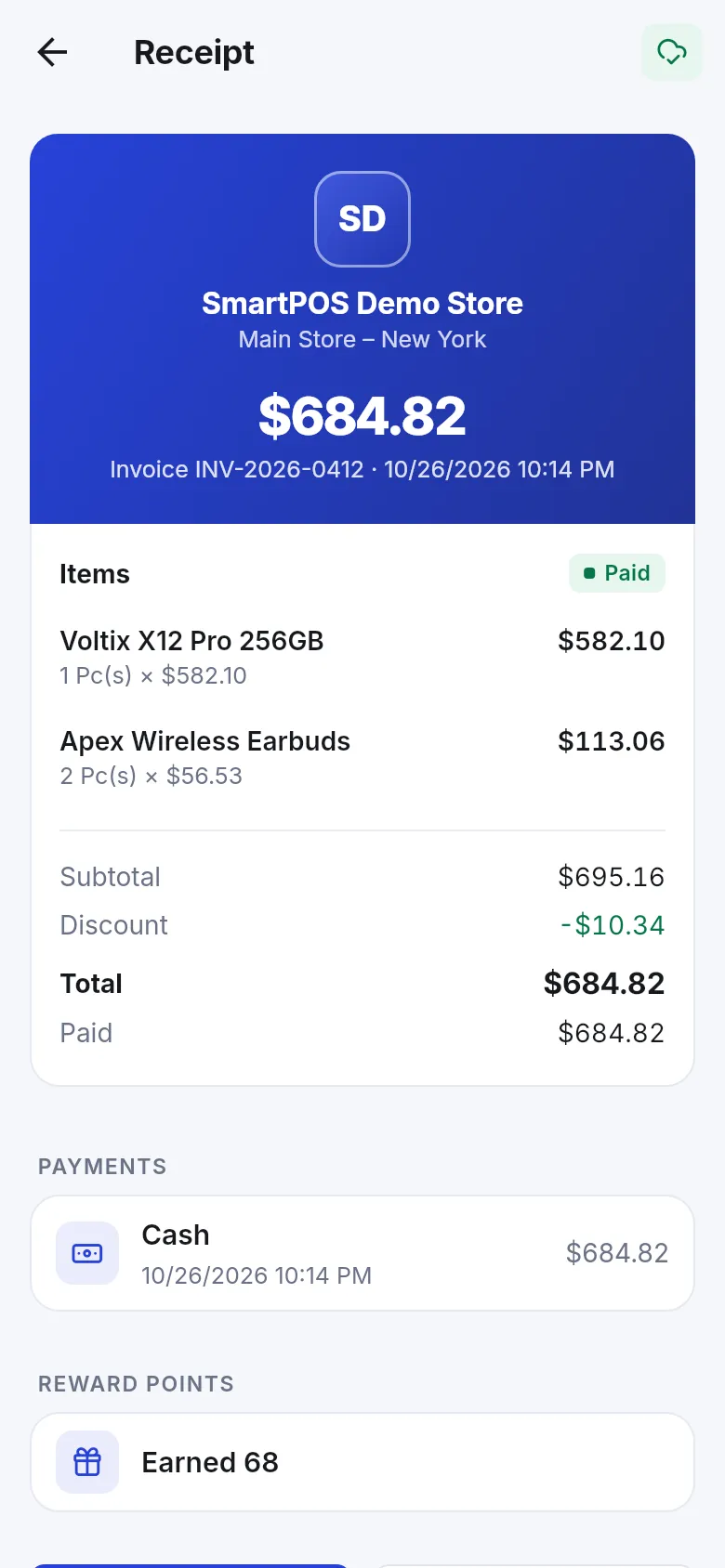
Section titled “What’s on a receipt?”- Invoice number, date and the store location.
- Items with quantity × price.
- Subtotal, Discount, Tax, Shipping (when there is any) and Total.
- Paid and, if something is open, Still to pay.
- Payments: each payment with its method and time — for example cash, card, store credit or a gift card.
- Reward points: Earned and Used, if the store uses points.
- Returns, if you returned anything (see below).
Download, view or share the invoice
Section titled “Download, view or share the invoice”At the bottom of a receipt:
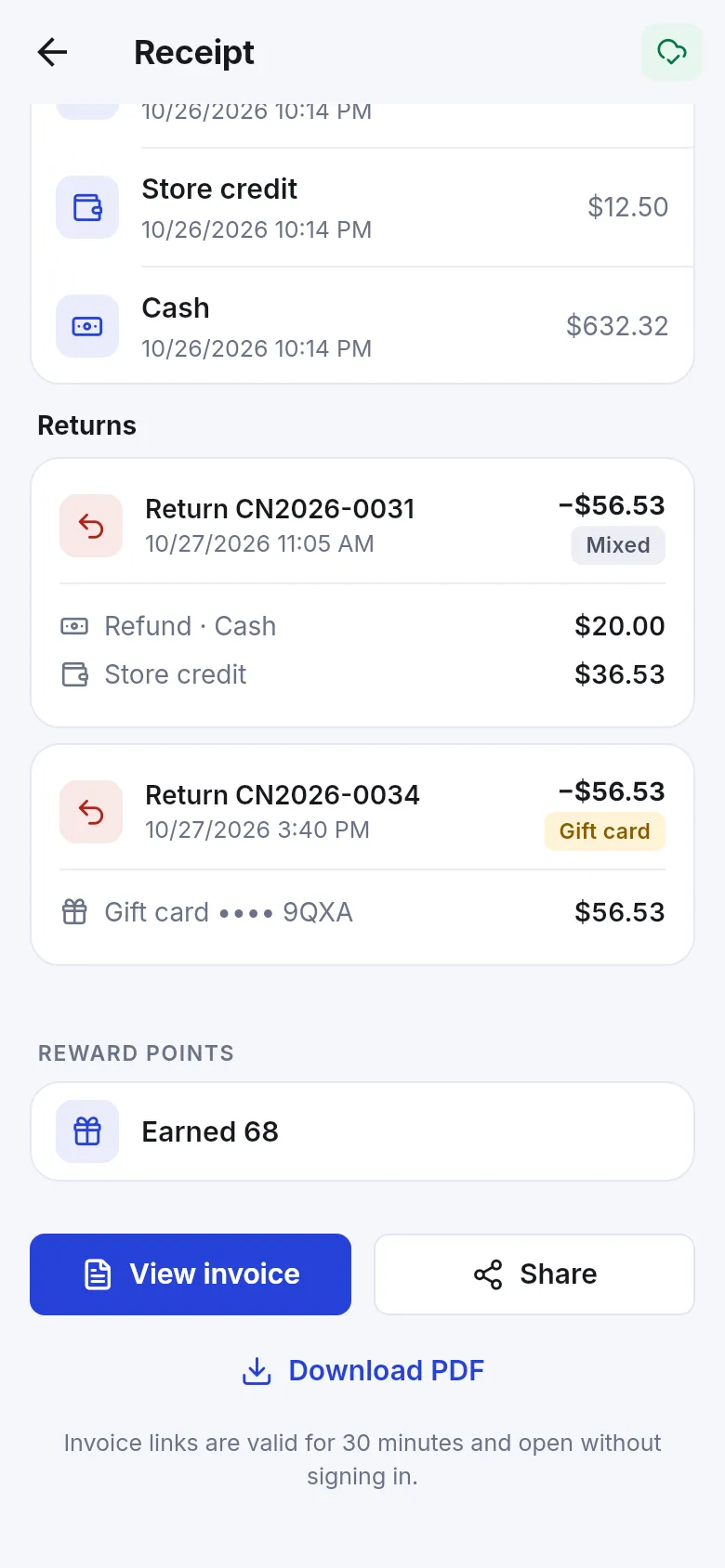
- View invoice opens the store’s invoice in your browser.
- Download PDF saves the invoice as a PDF on your phone.
- Share sends a short text — “My receipt from store: total (invoice number, date)” — through any app you choose.
See returns and refunds
Section titled “See returns and refunds”When you return items, the original receipt gets a Returns section. Each return shows its number, date and amount, and how it was settled:
| Label | What you got back |
|---|---|
| Refunded | Money back, with the method (for example Refund · Cash). |
| Store credit | Credit to spend at this store — see your wallet. |
| Gift card | A gift card for this store. |
| Exchanged | Other items instead. |
| Mixed | A mix of the above. |
| Credit note | The store recorded the return without paying it out yet. |
Returned items show Returned: with the quantity on the item lines.
Questions about a receipt?
Section titled “Questions about a receipt?”Tap Ask about this receipt on the receipt. A chat with the store opens with the receipt attached. See message a store.
- Turn on Hide receipts in screenshots in Account if you don’t want receipts to appear in screenshots or the recent-apps view — see language and appearance.
- Signing out removes saved receipts from this phone only. Sign in again and they come back.
- Deleting your account doesn’t delete the store’s sales and invoices; stores must keep them by law.
Frequently asked questions
Section titled “Frequently asked questions”How do my receipts get into the app?
Automatically. When you buy in a store you joined and the cashier scans your store card or your Scan & Go cart code, or when you place an order in the app, the sale is saved to your account at that store and the receipt appears in Receipts. You don't have to ask for it.
Why is a purchase missing from my receipts?
The cashier did not link the sale to you. If the cashier did not scan your store card or cart code, the sale goes to the store's walk-in customer and doesn't reach your app. Next time show My store card before paying. Ask the store if they can move the old sale to your account.
Can I get a PDF of my invoice?
Yes. Open the receipt and tap Download PDF. You can also tap View invoice to see it in your browser, or Share to send a short summary and the invoice link to someone else.
How long does a shared invoice link work?
Invoice links are valid for 30 minutes and open without signing in. After that, open the receipt in the app again to get a fresh link. Only share the link with people who should see the purchase.
What does Partly paid or Due mean on a receipt?
The store let you pay part of the bill later. Partly paid means some money is still to pay; Due means nothing is paid yet. The receipt shows Still to pay, and your account at the store shows your balance due. You settle it with the store, not in the app.
Where do I see a return or refund?
Open the original receipt. A Returns section lists each return with its number, date and amount, and how it was settled — refund, store credit, gift card or exchange. Store credit and gift cards from returns also show in your Wallet.
Do I get receipts while my membership is waiting for approval?
Not yet. Receipts belong to your customer account at the store, which opens once the store approves you. A cashier who scans your store card can approve you right there, and that purchase is then saved as your first receipt.