

Check out at the counter with your cart code
When you have finished shopping with Scan & Go, you check out at the counter with a cart code. Tap I’m at the counter in your cart, show the QR code (or read out the short cart code), and the cashier loads every item you scanned. Then you pay as usual. This page explains each step and what the cashier does.
Before you start
Section titled “Before you start”- You scanned your items with Scan & Go or added them from the Shop tab. They are in your cart.
- You have internet. Without it the app says You need a connection to get a counter code.
- Have your ID ready if the cart says Please have your ID ready (age-restricted items).
How do I check out at the counter?
Section titled “How do I check out at the counter?”- Go to the counter with your items.
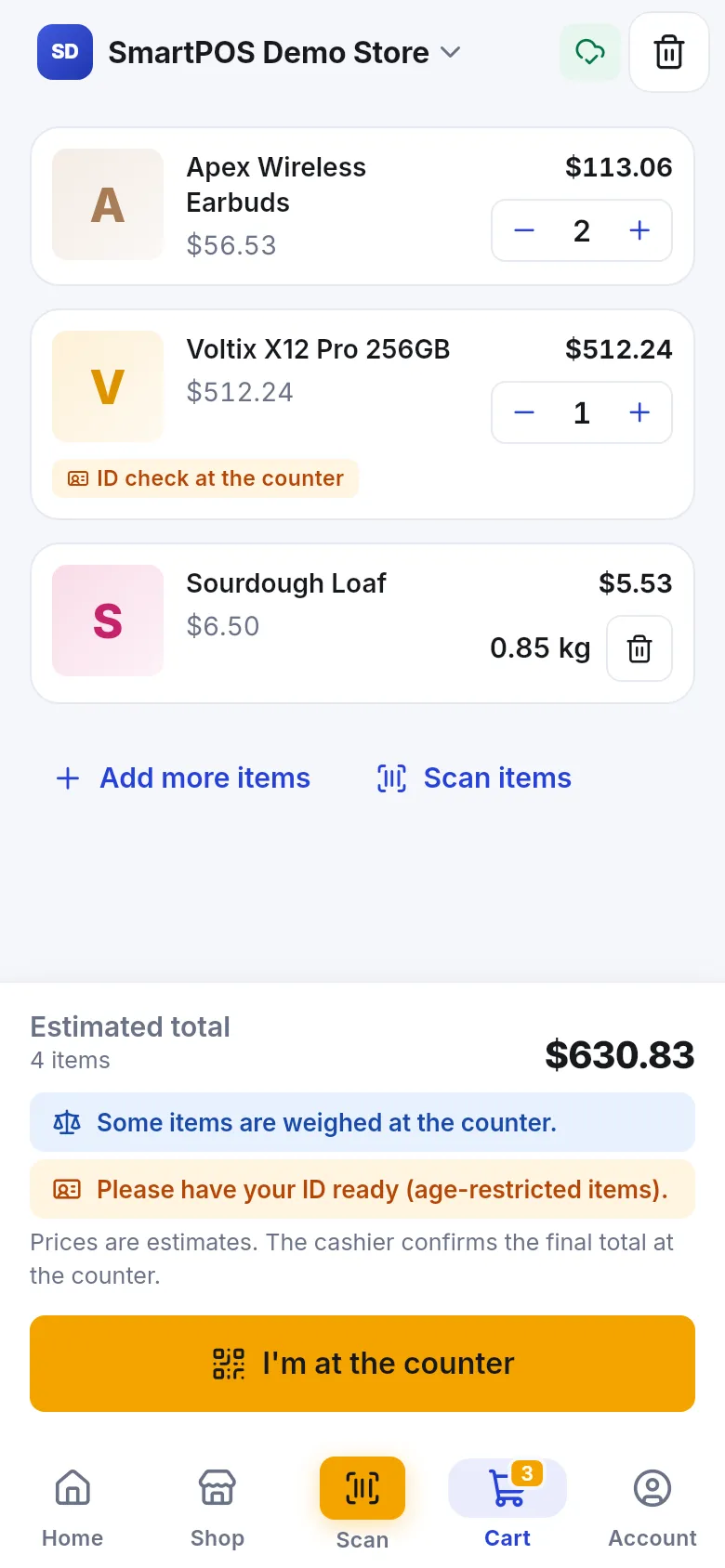
- Open Cart and check your items and the Estimated total.
- Tap I’m at the counter.
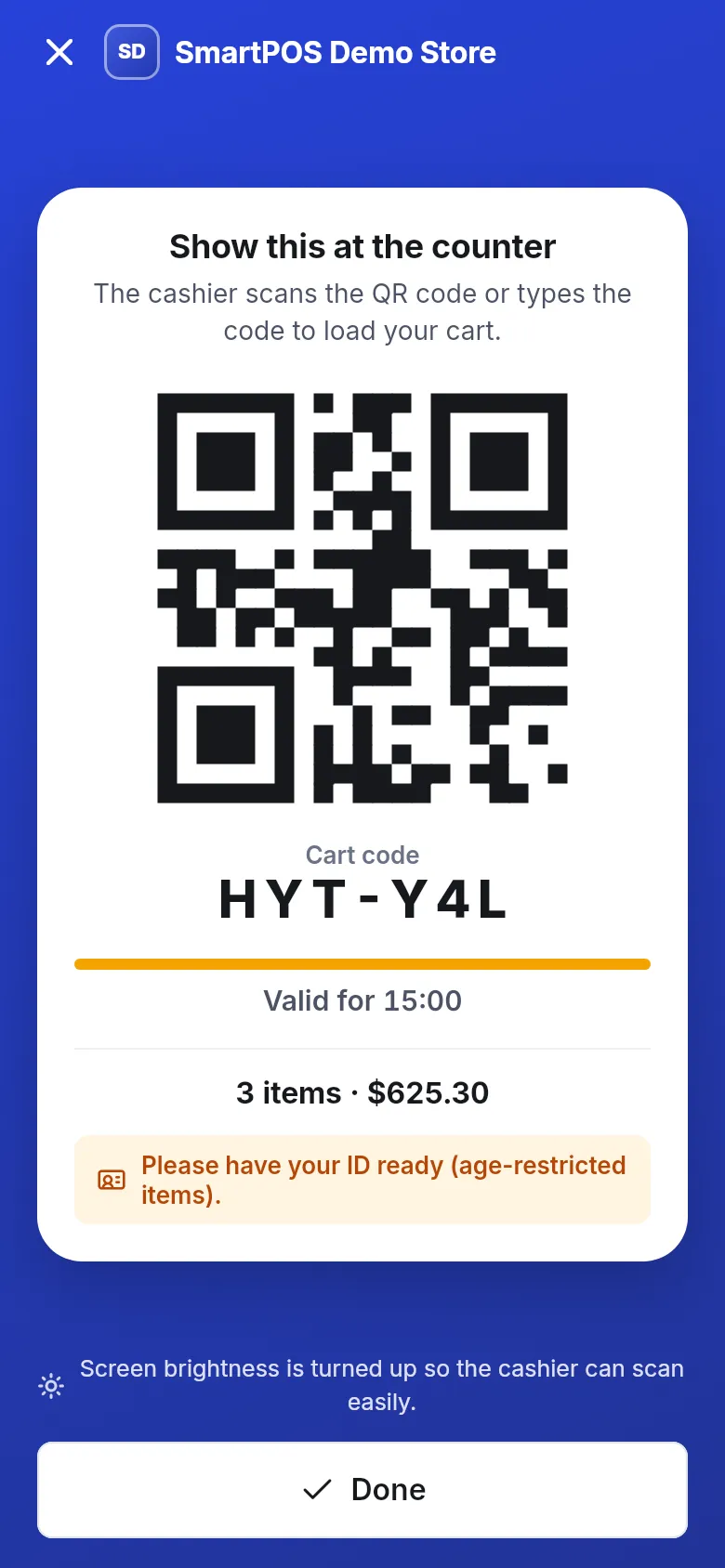
- The app shows Show this at the counter with a QR code, the Cart code in large letters, and Valid for with a countdown from 15 minutes. Your screen brightness goes up so the cashier can scan easily.
- Hold your phone up for the cashier to scan the QR code, or read out the cart code so they can type it.
- The cashier checks your items, weighs anything sold by weight, adds options such as size or extras, and checks your ID if needed.
- Pay the cashier the normal way (cash, card or any method the store accepts).
- Tap Done. Your receipt appears in Receipts.
What does the counter screen tell me?
Section titled “What does the counter screen tell me?”| On screen | Meaning |
|---|---|
| Cart code (for example HYT-Y4L) | The short code the cashier can type if scanning doesn’t work. |
| Valid for with a countdown | The code works for 15 minutes and only once. |
| Items and total (for example 3 items · $625.30) | What the cashier will load. |
| Please have your ID ready (age-restricted items). | An item in your cart needs an age check. |
| This code has expired | Time ran out. Tap Get a new code. |
What happens at the till?
Section titled “What happens at the till?”The cashier scans your code in the SmartPOS Business app or at their till. Your scanned items appear on their screen with your name, because the code is linked to your membership at this store. They:
- check the items against what is in your basket,
- add options for items that have them (The cashier adds the options (size, extras…) when you pay at the till.),
- weigh loose items,
- take your payment.
If your membership was still Waiting for approval, a cashier who is allowed to add customers can approve you right there when they scan your code.
Cart code or store card?
Section titled “Cart code or store card?”| Cart code | My store card | |
|---|---|---|
| Where | Cart › I’m at the counter | Home tile or store page: My store card |
| What it does | Hands your scanned items to the cashier, and identifies you. | Identifies you only. The cashier rings up items at the till. |
| Valid for | 15 minutes, once | 3 minutes, once |
| Use it when | You shopped with Scan & Go. | You bring your items to the till the normal way but want the purchase saved to your account. |
If your cart has items, the store card screen shows a button Show my cart code with the number of items. See your store card.
Tips and mistakes to avoid
Section titled “Tips and mistakes to avoid”- Don’t show the code too early. Tap I’m at the counter when you are next in line; the code lasts 15 minutes.
- A screenshot won’t help. Each code works only once and expires, so always show the live screen.
- Changed your mind about an item? Hand it to the cashier; they remove it at the till.
- After paying, if items still show in your app cart, pull down to refresh or empty it with the bin button.
Frequently asked questions
Section titled “Frequently asked questions”How long is the cart code valid?
15 minutes, and it works only once. The screen counts down with "Valid for". If it runs out, tap Get a new code.
Can I pay inside the app with Scan & Go?
No. With Scan & Go you pay the cashier the normal way, with cash, card or whatever the store accepts. Paying in the app is only for orders placed with Checkout.
What if the cashier can't scan my screen?
Read out the short cart code shown under the QR code (for example HYT-Y4L). The cashier can type it instead. The app also turns your screen brightness up to make scanning easier.
Why does the cashier ask about sizes or extras?
Options for scanned items are chosen at the till. The cashier adds the size, extras or other options when they load your cart.
Is my purchase saved to my account?
Yes. Because the cart code is linked to your membership at this store, the sale is saved to your account there and the receipt appears in Receipts in the app.
What is the difference between the cart code and my store card?
The cart code hands over the items you scanned. The store card only tells the cashier who you are, so a purchase rung up at the till is saved to your account. If you have both, the store card screen offers a button to show your cart code.
Can I get a cart code without internet?
No. You need a connection to get a counter code. If the store has Wi-Fi, connect to it, or move to a spot with signal.