

Find and join stores
Search stores by name, city, country or type, use Near me, or join with the store’s QR poster, code or link. See Find stores and Join a store.
SmartPOS Shopper is a free Android app for customers of shops, restaurants, pharmacies and other businesses that use SmartPOS Hub. With one app you join the stores you visit, check prices with your camera, scan items as you shop, order ahead, show your store card at the counter, and keep every receipt in one place.
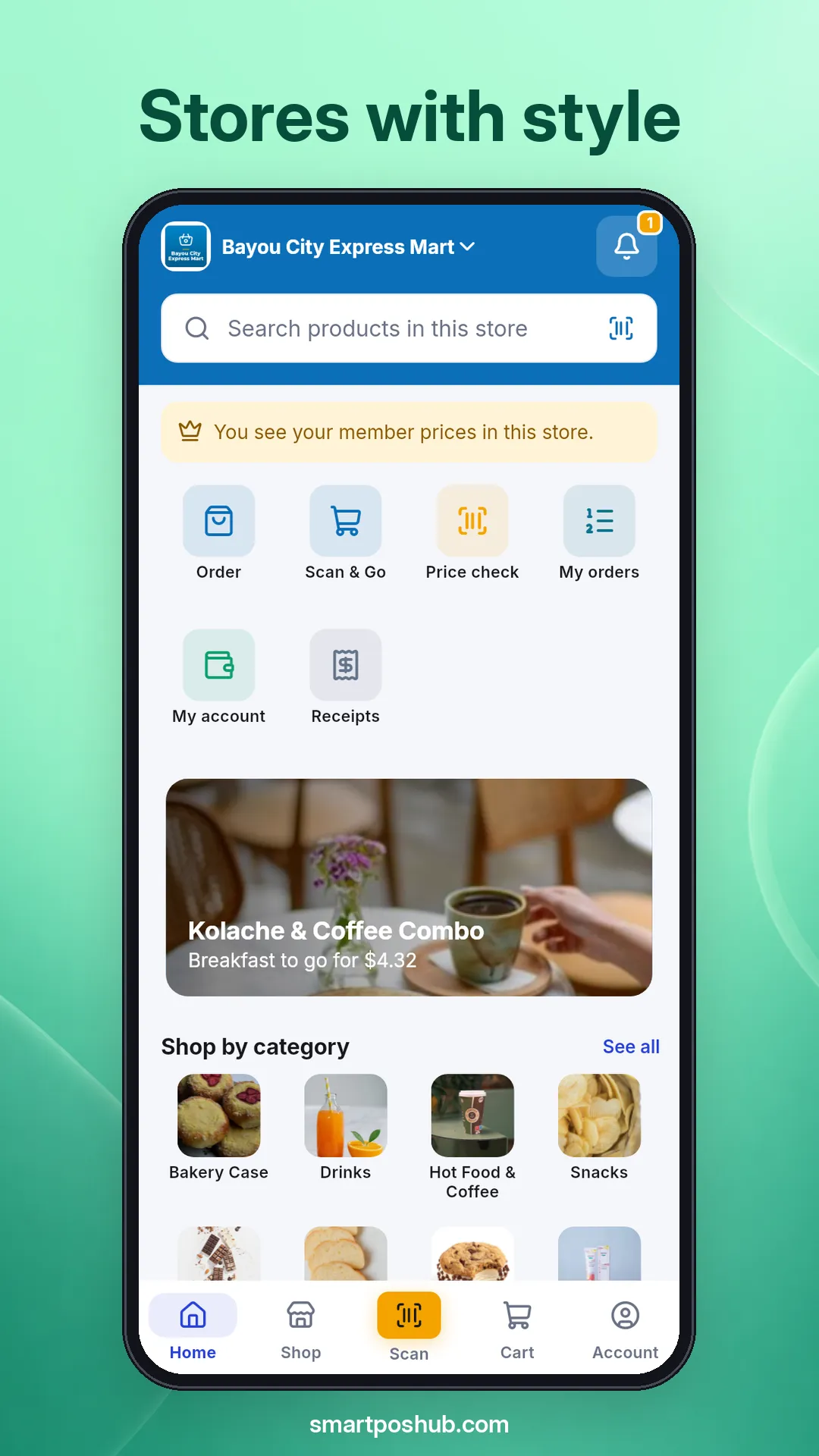
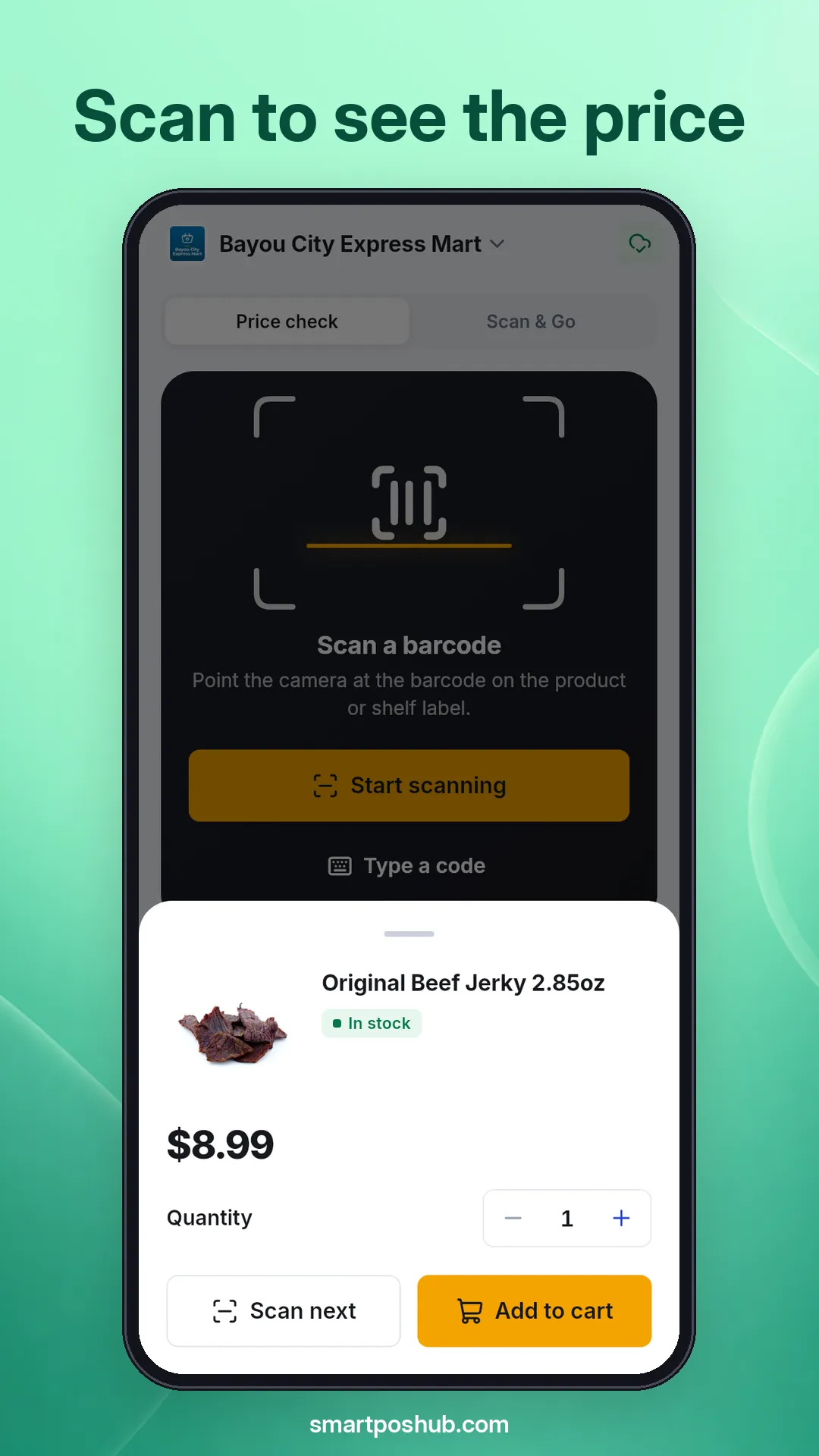
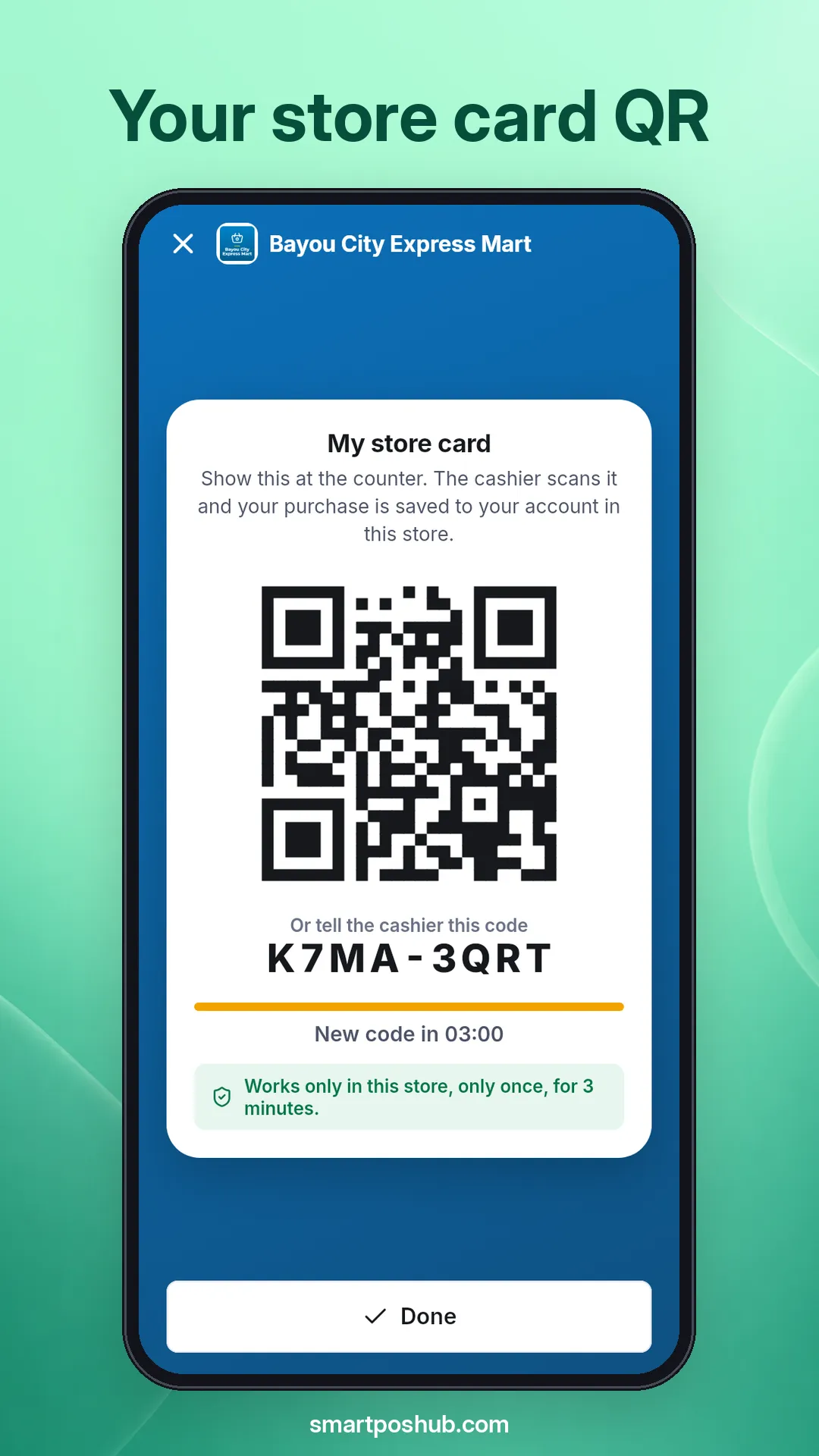
The app is for shoppers: anyone who buys from a store that runs SmartPOS Hub. You don’t need to know anything about the store’s till or software. If a store has a SmartPOS Shopper QR poster at the counter, or the staff gives you a store code or link, you can use the app there.
Store staff use a different app, SmartPOS Business. If you run a store and want to offer this app to your customers, read Offer the Shopper app in your store.
Each store chooses which of these features it offers, so you may see some of them only at some stores.
Find and join stores
Search stores by name, city, country or type, use Near me, or join with the store’s QR poster, code or link. See Find stores and Join a store.
Shop and order ahead
Browse products with photos, variants and options, then order for pickup, delivery or dine-in where the store offers it. See Place an order.
Price check and Scan & Go
Scan a barcode to see your price, or scan items into your cart while you shop and skip the line. See Scan & Go.
Your store card
Show a QR code at the counter so your purchase is saved to your account at that store. See My store card.
Receipts, balance and points
Every purchase as a member lands in Receipts. See your balance due and reward points per store. See Receipts.
Bookings and chat
Reserve a table or book an appointment, and send the store a message. See Bookings and Message a store.
When you join a store you become a member of that store. Some stores let anyone join at once (“Open to everyone”). Others approve new members first (“Joining needs approval”); until then the app shows Waiting for approval and you see the normal shelf prices.
As a member you may see member prices, earn reward points, see your balance due, and get every receipt in the app. Your membership belongs to that one store only. Joining a second store creates a second, separate membership. Read more in Use several stores.
Read Privacy: what the app stores about you for the details.
Is the SmartPOS Shopper app free?
Yes. The app is free for shoppers. You only pay the store for what you buy, the same way you would at the counter. There is no subscription and no fee for joining stores.
Which stores can I use with SmartPOS Shopper?
Any shop, restaurant, pharmacy or other business that runs SmartPOS Hub and has switched on the Shopper app. Look for a QR poster at the counter, ask the staff for their store code, or open Find stores in the app to see stores that list themselves.
Do I need a password?
No. You sign in with your e-mail address and a 6-digit code that we send to that address. There is no password to remember or reset.
Can I look around before I sign in?
Yes. On the sign-in screen tap Look around as a guest to see what the app does. To join a store, check member prices, use Scan & Go or keep receipts, you need to sign in.
Why does one store show Scan & Go and another store does not?
Each store decides which features it offers in the app. One store may offer Scan & Go and ordering, another only price checks and receipts. The chips under In this store on the store page show what that store offers.
Why can the total at the counter differ from the app?
The app shows the store's own prices, including your member price once the store has approved you. The store's till always calculates the final total, including offers, weighed items and taxes, so the counter can differ slightly in some cases.
Does the app work on iPhone?
Not yet. SmartPOS Shopper is available for Android phones and tablets. An iPhone version is not available at the moment.
Can I use the app in my own language?
Yes. The app comes in 17 languages, including English, Urdu, Arabic, Hindi, Bengali, Spanish, French, German and Turkish. Arabic, Urdu and Persian are shown right to left.
Does joining a store share my data with other stores?
No. Each store you join gets its own membership. A store only sees your name, e-mail, the phone number you chose to add and what you bought there. Nothing from one store is shown to another.
How do I get help with an order or a booking?
Ask the store first. Open the store page and tap Message store, or use Ask about this order on the order page. For problems with the app itself, contact SmartPOS Hub support through the contact page.